Get Bulkify Free
Quick details before your download — helps us understand how Bulkify is being used.
You're all set!
Thanks for downloading Bulkify. Your download should start automatically.
Need help? [email protected]
Sell More.
Reward Buyers
Who Buy in Bulk.
Bulkify adds tiered bulk & retailer pricing to any WooCommerce store. Set quantity thresholds, show a live pricing table, and watch average order value climb.

Everything you need for bulk pricing
No code required. Works out of the box with WooCommerce and Elementor.
Multiple Tiers Per Product
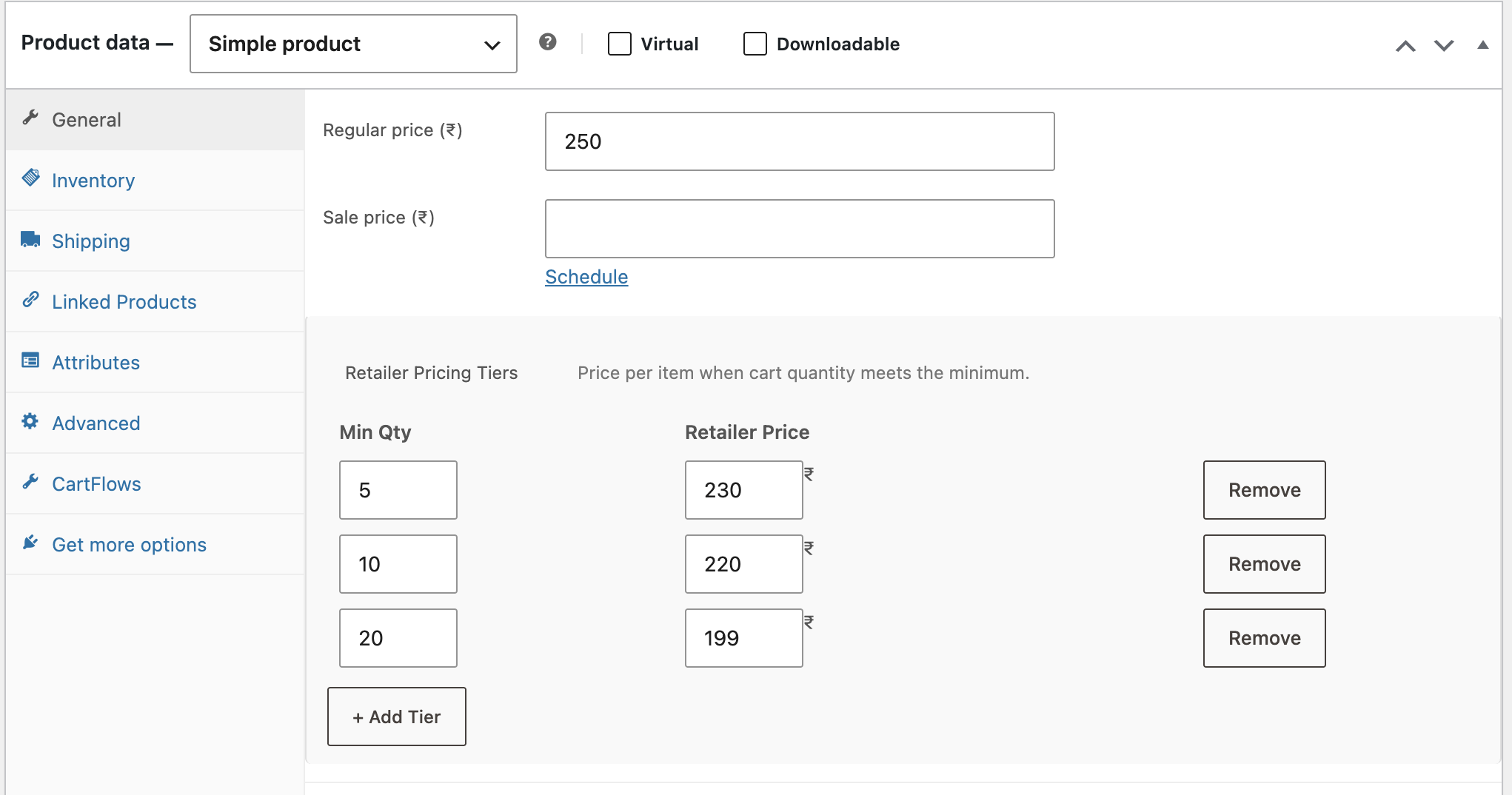
Set as many quantity/price rows as you need — 1–4 = regular, 5–9 = £8, 10+ = £6.50. No limits.
Per-Variation Support
Variable products? Each variation gets its own independent tier table so pricing is always accurate.
Global Fallback Discount
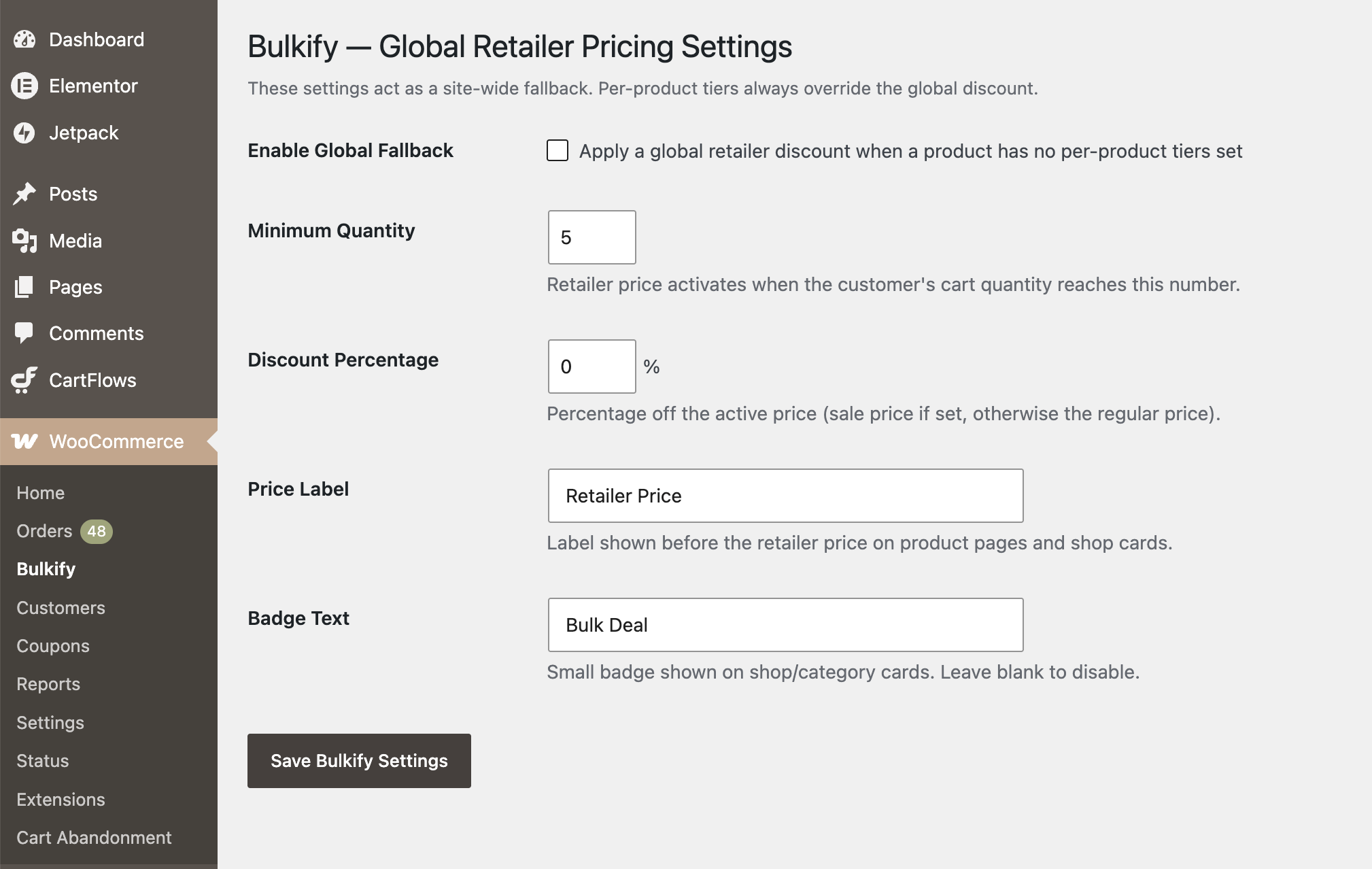
Set a site-wide percentage discount and minimum quantity that covers products without custom tiers.
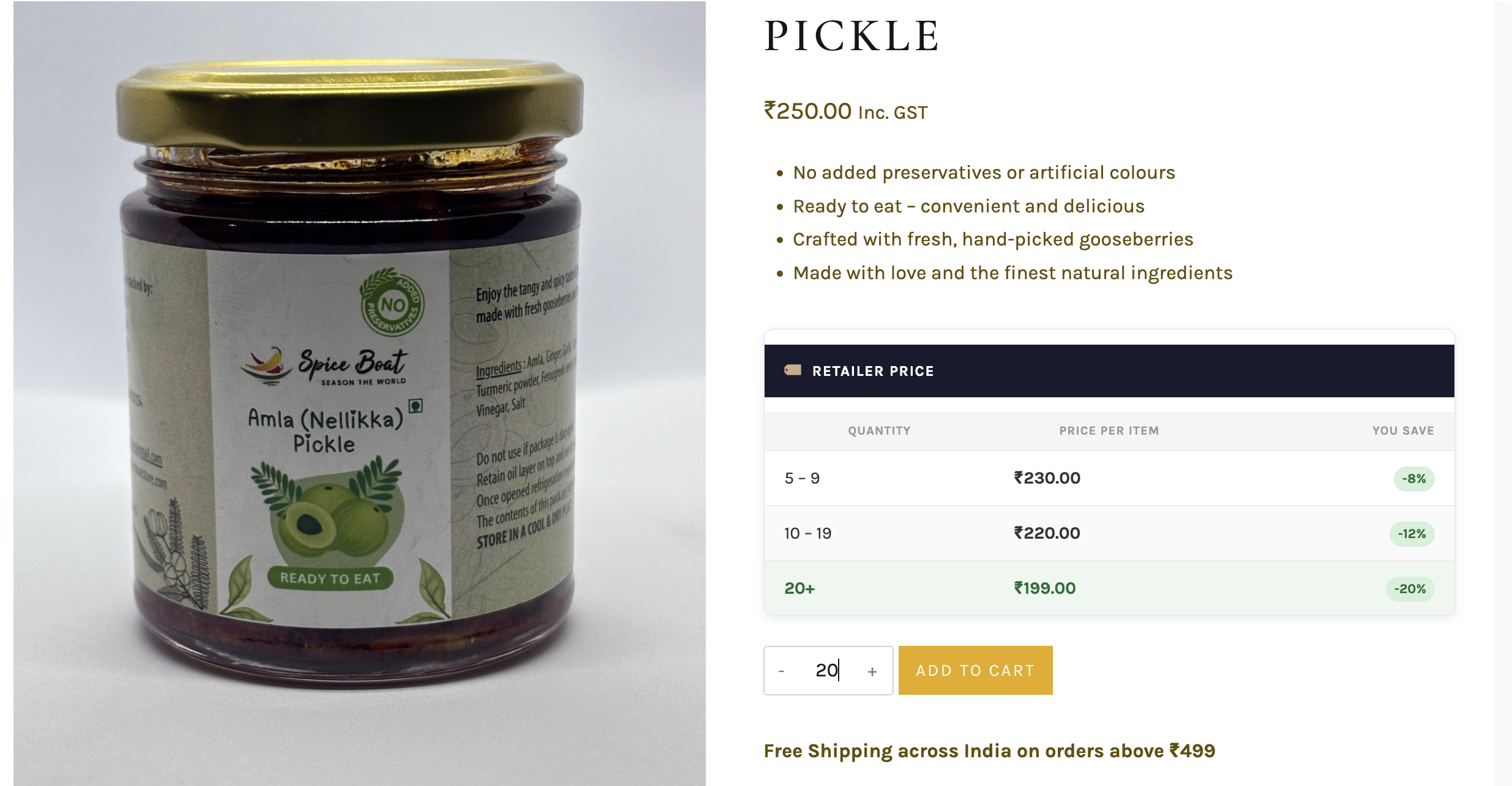
Live Pricing Table
The active tier row highlights automatically as the customer changes the quantity — zero JS config needed.
Elementor Compatible
Drop [bulkify_pricing_table] into any Elementor HTML or Shortcode widget and you're done.
Shop / Archive Pills
Compact tier pills display beneath each product card on the shop page — customers see deals before they click.
"You Save" Column
Every tier row shows the exact percentage saved vs the regular price. A powerful nudge to buy more.
Secure by Default
Nonces, capability checks, POST key allowlisting, and wp_kses_post escaping throughout — production-ready.
HPOS Compatible
Declared compatible with WooCommerce High-Performance Order Storage. Ready for modern WooCommerce.
Up and running in 3 steps
Install once, configure in minutes, starts working immediately at checkout.
Install & Activate
Upload the plugin or install directly from WordPress.org. Activate — no additional setup required to get started.
Set Your Tiers
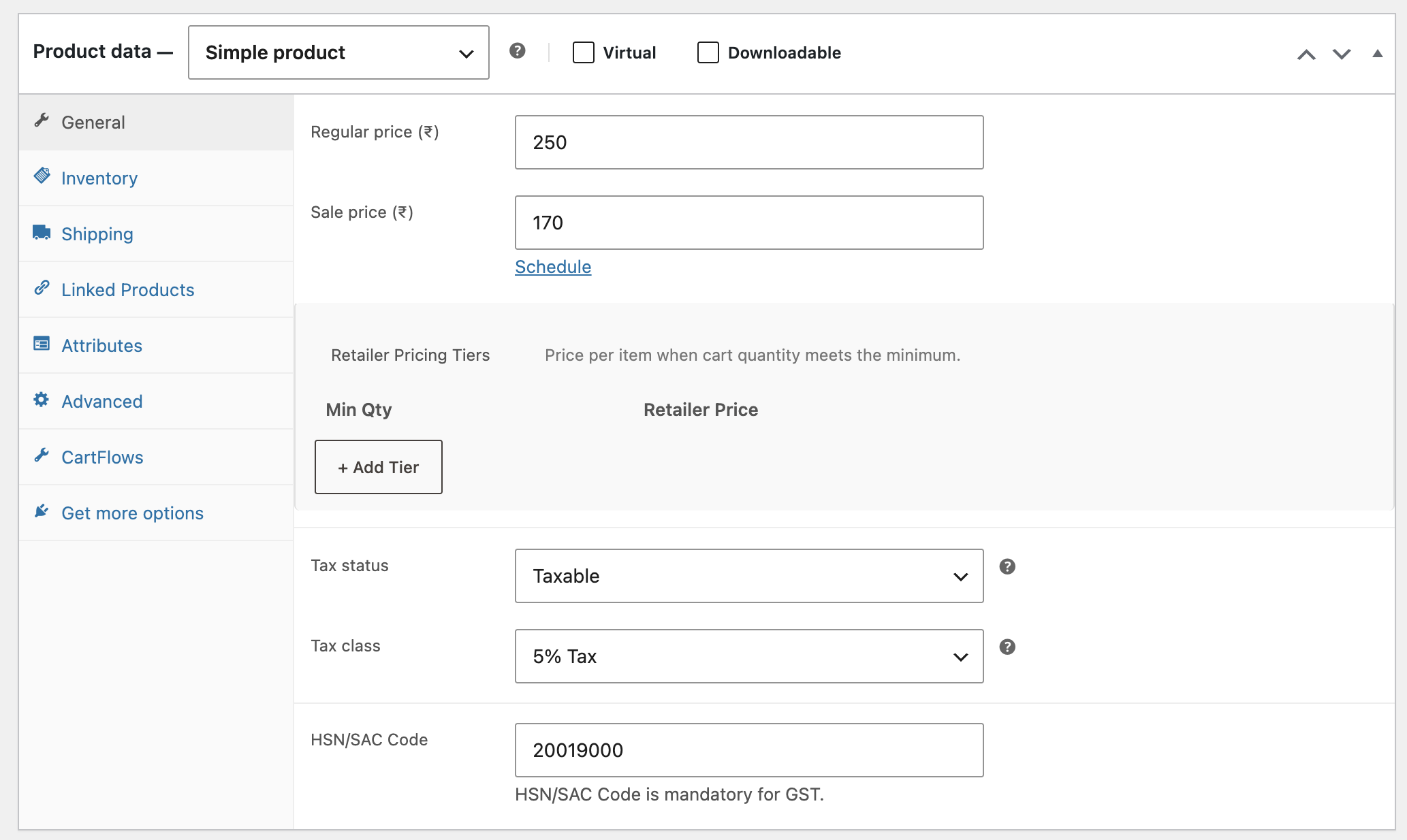
Open any product, go to the Pricing tab, and click + Add Tier. Enter a minimum quantity and price for each row.
Watch Orders Grow
Customers see the live pricing table, are nudged to hit the next tier, and the correct price is applied at checkout automatically.
See Bulkify in action
From the admin settings panel to the live product page — here's exactly what your store gets.


Place it anywhere
Use the simple shortcode to embed the pricing table in any page builder, theme template, or custom layout.
product_id for off-page embeds
[bulkify_pricing_table]
// On any other page — pass the product ID
[bulkify_pricing_table product_id="42"]
// Custom CSS variables to match your brand
:root {
--bulkify-accent: #your-colour;
--bulkify-active-bg: #edf7ef;
}
Make it yours with CSS variables
Paste a few lines into Appearance → Customise → Additional CSS and Bulkify inherits your brand colours — no template editing required.
--bulkify-accent
Heading bar & badge background
--bulkify-active-bg
Highlighted active tier row background
--bulkify-active-text
Active tier row text & savings pill colour
:root {
--bulkify-accent:
#your-brand-colour;
--bulkify-accent-text:
#ffffff;
--bulkify-active-bg:
#edf7ef;
--bulkify-active-text:
#1a6b30;
--bulkify-badge-bg:
#your-brand-colour;
}
Common questions
uninstall.php, which removes all _bulkify_tiers post meta and the bulkify_global_settings option — leaving your database completely clean.bulkify_get_tiers, bulkify_tier_price, bulkify_table_html, and more. Add your customisations in your theme's functions.php.[bulkify_pricing_table]. The plugin also hooks into woocommerce_after_add_to_cart_button as an automatic Elementor fallback.Ready to boost your
average order value?
Install Bulkify free from WordPress.org. No account needed, no upsells.
Requires WooCommerce 6.0+ · WordPress 6.0+ · PHP 7.4+
💬 Have feedback or questions? [email protected]